
Problem: The data in ToolZ doesn’t look right vs what’s in SASSIE
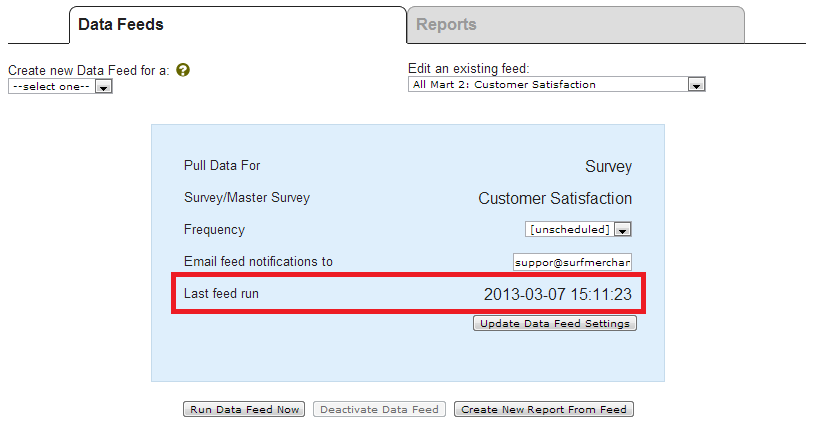
1. Determine the last time that the export feed ran.
This is listed on the data feeds page next to “Last feed run.” If this is less recent than when the data was modified in SASSIE, it could be that just re-running the feed will fix it. You can click “Run data feed now” to run the feed manually. Note that this simply adds the feed to a queue, so it may be a while before the data is refreshed.
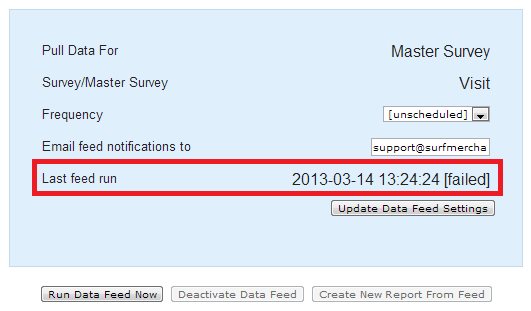
2. Determine if the last feed failed
If the feed’s “Last feed run” time is listed as “FAILED” then something went wrong in the data transfer. Contact ToolZ support via the tracker for further investigation.
3. Double-check unmatched data
If the feed is up to date, then you will need to get information on exactly which data isn’t matching. Compare this data in SASSIE to the data in the ToolZ Data Browser to make sure that the data is in fact not matching. The Data Browser can be accessed via the ToolZ IDE, documented here. Simply find the report at issue in ToolZ Admin and launch the editor. Then open the data browser page and browse or search for particular job IDs. If the data does match, then there is no feed issue. If it doesn’t, then you will need to investigate further.
4. Make sure the issue is not due to RuleZ altering data
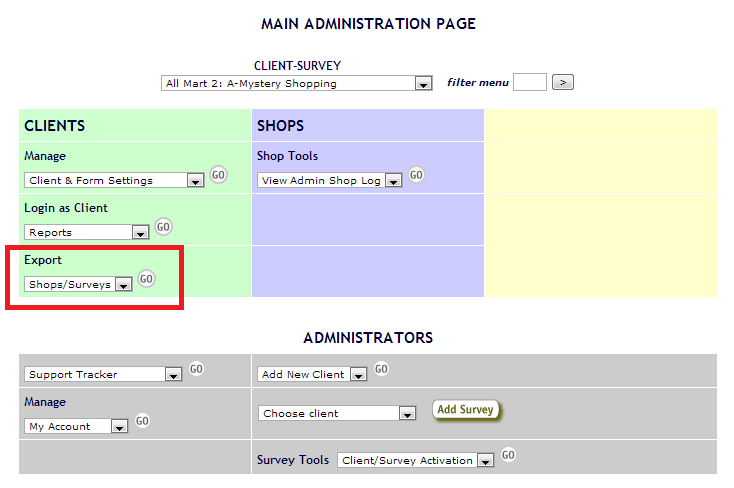
It appears that under some conditions, RuleZ may cause the Admin Review page to display different values for responses than are stored in the database. If a survey has RuleZ that affect questions with unmatched data, you will want to check a shop export to see what data is actually stored in the database for those questions. If the data is stored in a way that matches what ToolZ has, then the issue is not ToolZ but RuleZ. A tracker notice should be submitted that explains the issue so that it can be investigated further.
5. Make sure it’s not a survey linking issue
If the feed in question is a “Master Survey” feed and there are sectional scores or responses missing for some shops, it may be that the sections and questions are not fully linked for all surveys. If there are obviously missing links, correct them (docs here) and re-run the feed.
6. Submit a tracker notice if the data still doesn’t match
If, after all that, the data stored in SASSIE’s database does not match what is in ToolZ, then submit a support tracker notice for further investigation.
7. Check the report
If the raw data in ToolZ appears to be correct but summary report data does not, the problem is not the feed. The issue will need to be investigated as a problem with the report rather than the feed.
Problem: ToolZ seems to be missing data
1. Make sure that the data you’re looking for is even exported at all
The data that we send to ToolZ is documented here. If the data is not exported, use the “Feedback” tab in ToolZ Admin to submit a request for it. (Note that some ad blocker browser extensions will hide this tab.)
2. Make sure that the feed type you’re using is appropriate for the data that you want
For example, an entire client feed will not contain sectional scores or questions. You may need to change to a master survey feed type if you need cross-survey sectional scores or questions.
3. Beyond this, refer to the “The data doesn’t look right” list for further troubleshooting
If the data you’re trying to get at should be in the feed, you’ll need to investigate what is exporting to pinpoint the problem.